Microsoft Copilot for Business: Less Admin, More Impact
About the Course:
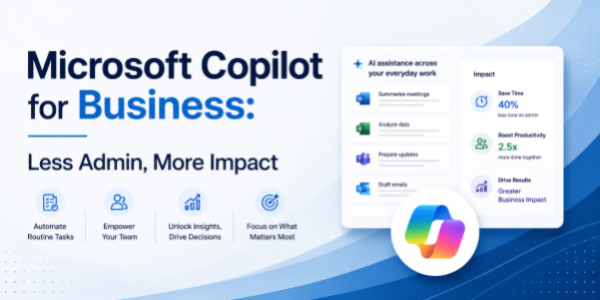
Every business runs on the same five things: data, documents, decks, meetings, and email. And every business loses massive hours doing them the old way. This power-packed 90-minute session shows business users and leaders exactly how to use Microsoft Copilot across the entire M365 ecosystem to take all of that off their plate. You'll learn how to analyse business data in Excel using plain English, draft proposals, memos, and SOPs in Word, build leadership decks and reviews from a single prompt, summarise meetings in Teams, manage your inbox with AI in Outlook, and even build a custom AI agent for a recurring business workflow in M365 Copilot Studio. By the end, you and your team will spend less time on admin and more time on the work that actually drives the business.
Why This Course?
Most professionals lose 30-40% of their week on low-leverage work, formatting decks, drafting routine emails, building the same reports, and summarising meetings they barely needed to attend. Copilot ends that grind, but only if you know the right prompts and patterns for real business work. This course is not a feature tour. It's a hands-on workshop built around real business scenarios, review meetings, MIS, proposals, dashboards, town halls, leadership updates, cross-functional follow-ups, so users save hours each week, and leaders unlock visible team-wide productivity gains.
Why Now?
Business productivity is being rewritten by AI, quietly, but quickly. Companies are openly saying that the next generation of business teams will be expected to do more with leaner structures, faster decisions, and sharper outputs, and Copilot is the single biggest lever to make that happen at scale. Learning Copilot today is the new equivalent of mastering Excel and email a generation ago, a quiet, compounding career advantage for individuals and a strategic edge for entire teams. The earlier you adopt, the bigger the advantage.
Course Objectives:
By the end of this 90-minute session, business users and leaders will be able to:
- Use Copilot in Excel to analyse business data, generate insights, and build reports with natural-language prompts.
- Draft proposals, memos, SOPs, and management commentary in Word using Copilot's drafting and summarisation power.
- Generate business-ready PowerPoint decks (review, leadership, town hall) from a Word doc, outline, or single prompt.
- Capture meeting summaries, decisions, and action items from business reviews and 1:1s in Teams.
- Triage business inboxes (internal, vendor, leadership) and draft sharp, on-tone replies in Outlook.
- Build a basic custom Copilot agent in M365 Copilot Studio for a recurring business workflow, no code needed.
Who is the Target Audience?
- Business users and individual contributors across functions, operations, projects, strategy, business analysts, and program managers.
- Managers and team leads who run reviews, drive reporting, and make decisions every week.
- Business heads, function heads, and senior leaders are driving outcomes through their teams.
- CXOs, founders, and entrepreneurs are looking to embed AI across their day-to-day operating rhythm.
- L&D teams are evaluating Copilot upskilling content for organisation-wide rollout.
Basic Knowledge:
- Working knowledge of business workflows (reports, reviews, proposals, meetings, leadership communication).
- Day-to-day comfort with Microsoft 365 apps, Excel, Word, PowerPoint, Teams, and Outlook.
- Access to a Microsoft 365 account with a Copilot licence (recommended for live, hands-on practice).
- No prior AI or coding experience required; the course is fully beginner-friendly on the AI side.n
Welcome and Business Productivity Leap
- Copilot's 5 core business transformations
- Week-one time savings demonstration
- Hands-on workshop structure
Excel: Business Intelligence Instantly
- Data analysis, KPI summaries, trend identification
- Variance explanations, forecast scenarios
- Key Prompts: "Summarize sales performance", "Show cost trends by category"
Word: Professional Content at Scale
- Proposals, SOPs, status reports, executive summaries
- Tone matching, structure optimization
- Key Prompts: "Draft weekly status report", "Write proposal section"
PowerPoint: Leadership Communications
- Executive summaries, leadership updates, and town hall slides
- Data-to-story conversion, visual optimization
- Key Prompts: "Create 10-slide leadership review", "Build town hall from this data"
Teams & Outlook: Decision Acceleration
- Meeting summaries, decisions, and action tracking
- Outlook Exercise: Cross-functional coordination
- Inbox prioritization, stakeholder updates
- Key Prompts: "Summarize key decisions", "Draft update to leadership"
Copilot Studio: Workflow Automation
- Custom agents for reporting, approvals, and status updates
- No-code deployment across teams
- Business use cases: vendor tracking, project status, budget alerts
Business Impact Challenge
- Complete workflow: Data → Document → Deck → Meeting → Automation
- ROI calculation and team rollout strategy