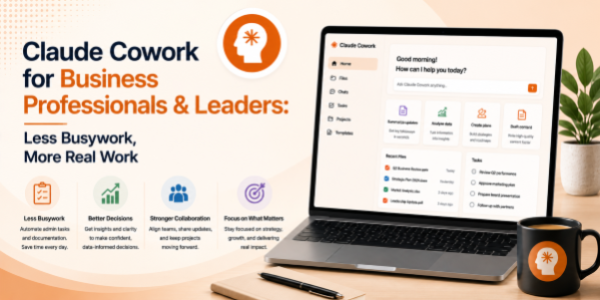
Claude Cowork for Business Professionals & Leaders: Less Busywork, More Real Work
About the Course:
This 90-minute professional course offers a structured, role-relevant introduction to Claude Cowork, Anthropic's desktop AI tool for non-developers, designed for both individual contributors and business leaders. Participants will gain practical, working knowledge of how to set up and use Cowork to organise business files, work across documents, and automate recurring desktop workflows that traditionally consume hours every week. The session is anchored in real business scenarios, reporting and review prep, proposal and memo handling, leadership document organisation, executive-meeting prep, cross-functional communication, and recurring business operations. Learners will leave with a clear mental model of when to use Cowork, how to prompt it effectively, and how to integrate it into their daily working rhythm, improving individual productivity for users and enabling stronger team-wide outcomes for leaders.
Why This Course?
Business teams across every function rely on the same five productivity surfaces: files, folders, documents, meetings, and email, and Claude Cowork delivers measurable impact across all of them on the desktop itself. However, business professionals adopting AI desktop tools consistently report a sharp gap between curiosity and confident use. Most are unsure how to apply Cowork to their specific workflows, what prompts to use, or how to embed it into the way their teams already operate. This course closes that gap. It delivers a focused, business-led walkthrough that translates AI desktop capabilities into clear, repeatable habits, useful for everyday execution by users and equally relevant for leaders driving outcomes through their teams.
Why Now?
AI literacy is fast becoming a baseline expectation across the modern workplace, comparable to how spreadsheet, presentation, and email fluency became standard in earlier decades. Tools like Claude Cowork sit at the leading edge of this shift, bringing AI directly to the desktop and empowering business teams to automate document, file, and admin workflows that historically required RPA tools or extensive IT support. Acting now offers a clear first-mover advantage: individual contributors establish AI fluency early and stand out in their roles, while leaders position their teams ahead of the broader productivity curve and avoid the steep learning gap that will soon become a baseline expectation.
Course Objectives:
Upon successful completion of this course, participants will be able to:
- Install, configure, and confidently navigate Claude Cowork on a personal or work desktop environment.
- Apply Cowork to organise business folders, perform bulk operations, and clean up downloads and shared directories.
- Use Cowork to read, summarise, and extract content across business documents, reports, proposals, memos, and policies.
- Automate recurring business desktop workflows, filing, tagging, moving, formatting, routine admin, without writing code.
- Apply prompt-engineering best practices to ensure accuracy, consistency, and trust in Cowork's outputs on business work.
- Identify suitable business tasks for AI delegation and design lightweight, repeatable workflows for ongoing use.
Who is the Target Audience?
- Business users and individual contributors across operations, projects, strategy, business analysis, and program management.
- Managers, team leads, and business unit owners are responsible for reporting, reviews, and decision-making.
- Business heads, function heads, and senior leaders are driving outcomes through cross-functional teams.
- CXOs, founders, and entrepreneurs are embedding AI into their organisation's operating rhythm.
- L&D, transformation, and digital adoption teams are evaluating Cowork upskilling content for the wider organisation.
Basic Knowledge
- Functional understanding of standard business workflows (reporting, reviews, proposals, meetings, communication).
- Working comfort using a personal or work computer (Windows or Mac) and managing files and folders.
- A laptop where Claude Cowork can be installed is strongly recommended for hands-on practice.
- No prior experience with artificial intelligence, machine learning, or programming is required.
Introduction to Desktop AI for Business Work
- The rise of AI desktop assistants in business environments
- What Claude Cowork can and cannot do
- How Cowork interacts with business files and documents
- High-impact business use cases:
- Reporting and review preparation.
- Proposal and memo handling.
- Executive-meeting preparation.
- Shared-folder organisation.
- Cross-functional document management.
- Repetitive administrative work.
- Understanding AI strengths, limitations, and human oversight responsibilities
Business File & Folder Organisation with Cowork
- Bulk file organisation for business teams
- Sorting files by:
- Department.
- Project.
- Client.
- Reporting period.
- Business function.
- Renaming and standardising business files
- Cleaning downloads and shared directories
- Archiving outdated business records
- Creating repeatable folder-management workflows
Working Across Business Documents with AI
- Reading multiple business documents simultaneously
- Summarising reports, proposals, and memos
- Extracting action items and key decisions
- Comparing document versions
- Consolidating information across folders
- Reviewing policies and business communication efficiently
Automating Repetitive Business Desktop Workflows
- Business workflow automation fundamentals
- File moving and categorisation workflows
- Tagging and naming standards
- Batch processing business documents
- Automating recurring administrative activities
- Building lightweight repeatable business routines
Prompting Best Practices for Business Workflows
- Anatomy of a good business AI prompt
- Defining task context and file constraints
- Prompt refinement strategies
- Preventing ambiguous instructions
- Verifying AI-generated actions before execution
- Building reusable business prompt templates
Designing Lightweight AI Workflows for Teams & Leaders
- Recognising repetitive business desktop tasks
- Mapping workflows suitable for AI delegation
- Creating lightweight productivity systems
- Human review and approval checkpoints
- Balancing automation with governance and accountability
- Scaling productivity habits across teams
Responsible AI Usage & Governance in Business Environments
- Reviewing AI-generated actions before execution
- Handling confidential business files responsibly
- Avoiding accidental movement or deletion of critical files
- Maintaining governance and compliance standards
- Understanding AI limitations and human approval responsibilities
Final Recap & Q&A
- Install and use Claude Cowork confidently in business environments
- Organise business files and folders using AI assistance
- Extract and summarise information across business documents
- Automate repetitive business workflows without coding
- Design repeatable AI-assisted productivity routines
- Apply prompt-engineering principles effectively for workplace tasks